01
Send to a Discord friend
Official OAuth, friend list and one recipient selected before every DM. Available only in builds approved by Discord.

Drop anything. Send it to a Discord friend.
Share code, logs, screenshots and files from one desktop shortcut. DevDrop scans locally, then sends text or a link to the friend you confirm.
A clear foundation, useful features and choices that remain understandable.
Official OAuth, friend list and one recipient selected before every DM. Available only in builds approved by Discord.
Locally detects tokens, keys and sensitive variables before any upload is confirmed.
Automatically creates a drop.nesquik.dev link with no account, key or provider to configure.
Short text is sent directly; files and folders go through Nesquik Drop before the link is sent.
Opens a compact window from a global shortcut, even while the main app is hidden.
Find previous drops, renew their lifetime and explicitly delete remote content.
Folders are archived in a temporary cache and redaction applies to copies, never to originals.
Current interface captures in local demo mode, without credentials or network uploads.
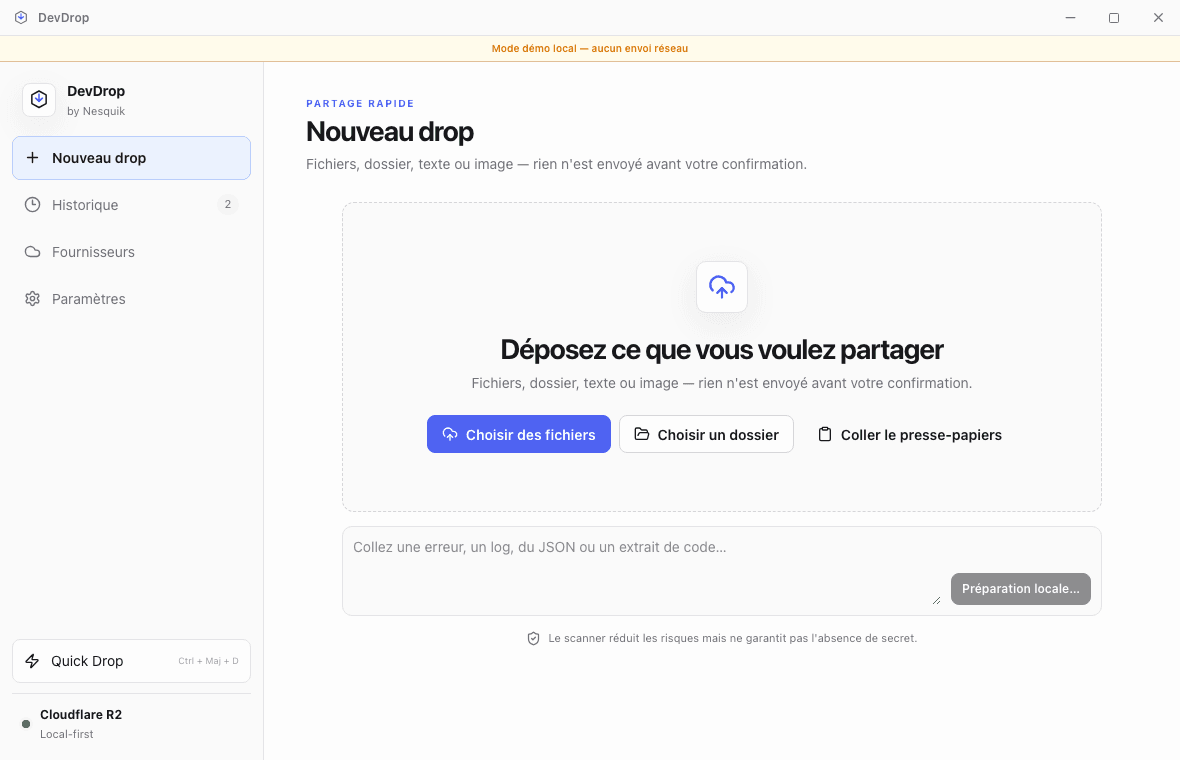
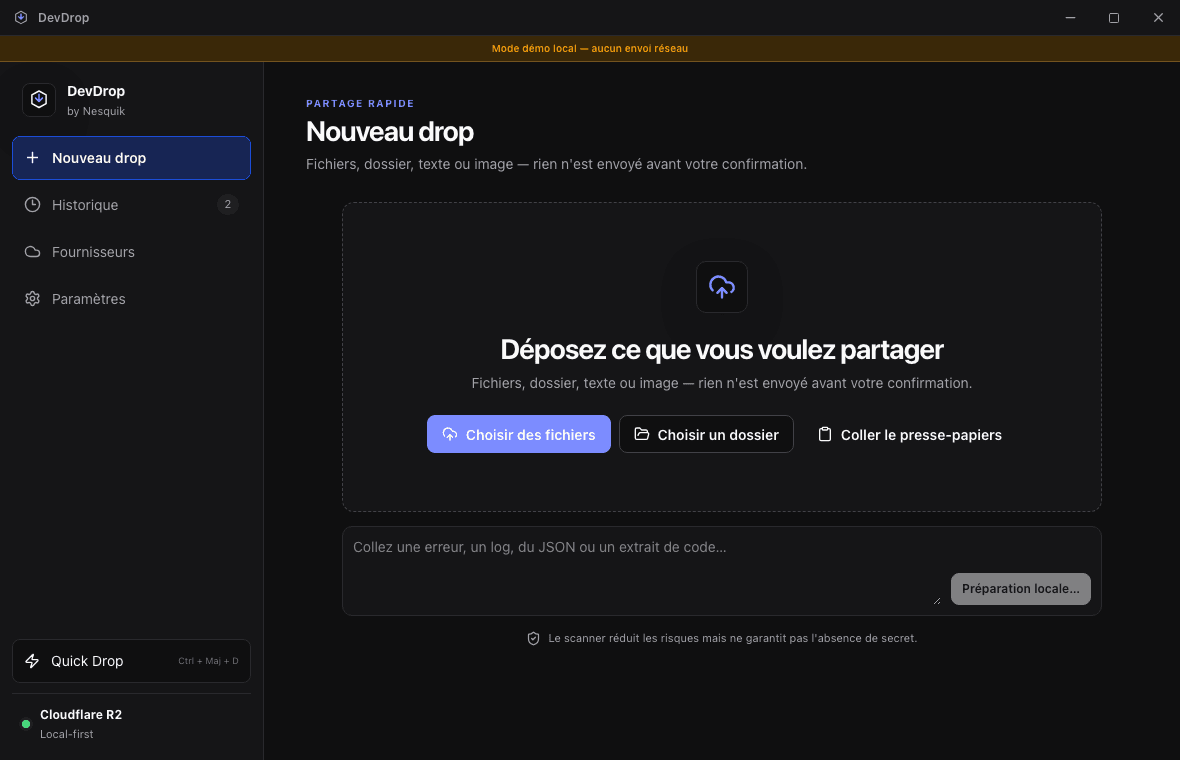
Screenshot 1 of 6. New drop — several input methods, no upload before confirmation.
DevDrop prepares everything locally, shows scanner findings and waits for explicit confirmation. You select a real friend: short text is sent directly, while a file or folder automatically goes through Nesquik Drop.
Metadata is validated, symbolic links are rejected and folders are copied into a bounded temporary archive.
Local rules flag sensitive patterns and can redact only selected occurrences in a copy.
The list comes from the official Discord SDK. The recipient and link lifetime stay visible before sending.
No DM is sent in the background. If link delivery fails, it remains copyable; history can renew or revoke compatible shares.
Yes, through Nesquik Drop: the file is temporarily stored in a private bucket and shared through a drop.nesquik.dev link. GoFile is only used as a fallback if the Nesquik service is unavailable.
In the system credential manager. The local SQLite database stores no token, secret key or signed URL.
Yes. DevDrop creates a temporary ZIP archive without following symbolic links, uploads it to Nesquik Drop and shares the link with the confirmed friend.
The Social SDK targets games. Discord must activate the app and approve Communication features; without that, DevDrop shows an honest unavailable state while link creation remains usable.
These first installers are not yet signed with a public Apple or Windows certificate. Always verify that the file came from nesquik.dev before allowing it.
DevDrop source code, release notes and upcoming improvements are available on GitHub.